This is default featured slide 1 title

Go to Blogger edit html and find these sentences.Now replace these sentences with your own descriptions.This theme is Bloggerized by Lasantha Bandara - Premiumbloggertemplates.com.

This is default featured slide 2 title

Go to Blogger edit html and find these sentences.Now replace these sentences with your own descriptions.This theme is Bloggerized by Lasantha Bandara - Premiumbloggertemplates.com.

This is default featured slide 3 title

Go to Blogger edit html and find these sentences.Now replace these sentences with your own descriptions.This theme is Bloggerized by Lasantha Bandara - Premiumbloggertemplates.com.

This is default featured slide 4 title

Go to Blogger edit html and find these sentences.Now replace these sentences with your own descriptions.This theme is Bloggerized by Lasantha Bandara - Premiumbloggertemplates.com.

This is default featured slide 5 title

Go to Blogger edit html and find these sentences.Now replace these sentences with your own descriptions.This theme is Bloggerized by Lasantha Bandara - Premiumbloggertemplates.com.

Showing posts with label OS Windows 8. Show all posts

Monday, April 8, 2013

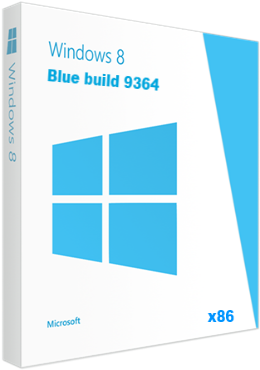
Windows 8 Pro x86 Blue build 9364 (RUS/ENG)


Assembly based on a pre release version of Pro 6.3 build 9364 x86 EN Just installed the Russian localization, from the author PainteR and those who helped him. Integrated NET Framework 3.0 - 3.5 and Russified installation. Boot.wim file from author Lopatkin Install only in Russian, then if you want you can switch to English.

Changes in contrast to build 9200
Updated kernel version 6.3
New animation.
New sorting applications.
Improved organization Charabanc (Wonder buttons).
Enabled Internet Explorer version 11.
Integration of Sky Drive.
The new organization, and recycled adjust PC.
New applications Modern UI. (For example calculator, alarm clock, etc.)
The ability to change the size of the tiles on the home screen (up to 4 options, against 2 in Windows 8).
New panel PC Settings, now as a standalone application to search and new series (choice is already available on the OOBE screen).
Securing more than 2 applications Modern UI (up to 3 for resolutions above 1680x1050, and up to 4 with a screen resolution of 2560x1600).
Opportunity to build a second application in Modern-interface with a resolution of 1024x768 pixels (for Windows 8, this option will appear starting with screen resolution 1366x768).

About Classification:
Technical realization: Mr. dUSHA, Tihiy, PainteR
Localization: Microsoft, PainteR, TireD

Features
During the installation of any system file is not izmenenudalen.
The translation is done in accordance with the official terminology of Microsoft.
LP is just and does not replace any other language.
Accepted by the system as the original LP from Microsoft.
Localization - 90% with the tail.
For more from the author simply no time.

few highlights:
1. PC specifications (Modern UI) is not finalized and generally falling apart, besides the location without interfering with the original files are not supported, so the installer allows you to switch the view to the previous form (Windows 8), which in turn is localized.
2. The same goes for family Modern UI applications natively new location, but not all properly display it.
3. Names of groups of users, devices (such as speakers) get their name from the first pass after installing Windows, therefore, on the part of the English and remains.
4. If the programs do not display Russian fonts, switch the language for non-Unicode programs (Control Panel -> Regional Options -> Advanced tab) to the package it is not irrelevant.


System requirements:
Processor: 1 gigahertz (GHz) or higher.
RAM: 1 gigabyte (GB) for the 32-bit version.
Free hard drive space: 16 gigabytes (GB) for the 32-bit version.
Graphics: the graphics device Microsoft DirectX 9 or later.
Additional requirements to use certain features
To use the touch features require tablet or monitor with multi-touch
To access the Shop Windows to download and run applications that require an active Internet connection and a screen resolution of at least 1024 x 768 pixels. Applications need to bind with resolution of 1366 x 768

Release year: 2013
Version: build 9364.130315
Developer: microsoft
By assembling: Bukmop
Russian localization Author: PainteR
Bit depth: 32bit (x86)
Language: Russian, English
Treatment: There is


 2.74 GB


Saturday, June 9, 2012

Windows 8 Release Preview


Microsoft has today launched a new version of version 8 the expected
A Windows 8 Release version before final

Feature in version of Da Elly before
The version of da ordinary private users and not corporate
Means of the other Htistab all programs and operates all games
Well of course it Bchml Aktar and more comprehensive definitions for Windows 7
Da is we saree Lesa Henkchwh Bnevsna

Microsoft's pampered people on the other
Da on the final version like this come down to the fire Hadharb
But I decided to salvation Hstab version of the de Allab Btaay
Omh Hustny for uPVC down

Use this key in the activation
Product Key: TK8TP-9JN6P-7X7WW-RFFTV-B7QPF
or

DNJXJ-7XBW8-2378T-X22TX-BKG7J

System Requirements

Windows 8 Consumer Preview works great on the same hardware that powers Windows 7:
Processor: 1 gigahertz (GHz) or faster
RAM: 1 gigabyte (GB) (32-bit) or 2 GB (64-bit)
Hard disk space: 16 GB (32-bit) or 20 GB (64-bit)
Graphics card: Microsoft DirectX 9 graphics device or higher
To use touch, you need a tablet or monitor that supports multitouch
To snap apps, you need a screen resolution of at least 1366 x 768


Windows 8 Release Preview is a prerelease version of Windows 8 that focuses on people and apps and gives you powerful new ways to use social technologies to connect with the people who are important to you. It’s Windows reimagined. Windows 8 Release Preview is built on the rock-solid foundation of Windows 7 and has the security and reliability features you expect from Windows, but we’ve made it even better. It’s fast, and it’s made to work on a variety of form factors—especially the new generation of touch devices.

The company also highlighted a variety of new features in Windows 8, including the following:
Touch-First User Interface
• Metro style. Windows 8 introduces a new Metro style interface built for touch, which shows information important to you, embodies simplicity and gives you control. The Metro style UI is equally at home with a mouse and keyboard as well.
• Touch-first browsing, not just browsing on a touch device. Providing a fast and fluid touch-browsing experience, Internet Explorer 10 puts sites at the center on new Windows 8 devices

More Ways to Engage With Powerful, Connected Apps
• Powered by apps. Metro style apps built for Windows 8 are the focal point of your experience, filling your entire screen so there are no distractions.
• Apps can work together. Apps communicate with each other in Windows 8. For example, you can easily select and email photos from different places, such as Facebook, Flickr or on your hard drive.
• Your experience syncs across your devices. Live roams all the content from the cloud services you use most – photos, email, calendar and contacts – keeping them up-to-date on your devices. With SkyDrive, you can access your files, photos and documents from virtually anywhere with any browser or with Metro style apps in Windows 8
.
Enhanced Fundamentals
• The best of Windows 7, only better. Windows 8 is built on the rock-solid foundation of Windows 7, delivering improvements in performance, security, privacy and system reliability. Windows 8 reduces the memory footprint needed – even on the lowest-end hardware – leaving more room for your apps.
• Preserving power-user favorites and making them better. For those who push the limits of their PC, Windows 8 features an enhanced Task Manager and Windows Explorer and new, flexible options for multimonitor setups

New Generation of Hardware
• One Windows – many shapes and sizes. Support for ARM-based chipsets, x86 (as well as x32 and x64) devices, touch and sensors means Windows 8 works beautifully across a spectrum of devices, from 10-inch tablets and laptops to all-in-ones with 27-inch high-definition screens.
• Always connected. With Windows 8, new ultrathin PCs and tablets turn on instantly, run all day on a single charge and stay connected to the Internet so your PC is ready when you are. Next-generation system on a chip (SoC) support will also enable greatly extended standby and low-power states.
• Tap the full power of your PC. Windows 8 runs on PCs and is compatible with the devices and programs you use today on Windows 7, without compromise, to deliver the performance you expect of a PC.
Windows 8 Release Preview Setup will check to see if your PC can run Windows 8 Release Preview and select the right download. Setup also features a compatibility report and upgrade assistance. Make sure your devices are connected to your PC and turned on before you run Setup. Built-in tools for creating an ISO or bootable flash drive are available for some previous versions of Windows (excluding Windows XP and earlier). You can find system requirements and additional information in the FAQ.

Note before you download: Windows 8 Release Preview is prerelease software that may be substantially modified before it’s commercially released. Microsoft makes no warranties, express or implied, with respect to the information provided here. Some product features and functionality may require additional hardware or software
DOWNLOAD

Wednesday, March 7, 2012

Windows 8 Consumer Preview build 8250


Microsoft has today launched a new version of version 8 the expected
Windows 8 Consumer a copy before the final

Version now de Matafrakec Kter for uPVC version I tried in the programs definitions Games
Chgalh Maaya uniform Fil de vice versa where the new additions in Bakat tariffs and often know everyone like this new graphics card and the oldest and Atzbt Erao alone

Valley Want excluded Version uPVC Braanh Avatar de Httakr very
Microsoft regularly but Mahddech Avatar exactly as possible down on the last year, God willing

Use this key in the activation
Product Key: DNJXJ-7XBW8-2378T-X22TX-BKG7J
or
NF32V-Q9P3W-7DR7Y-JGWRW-JFCK8

System Requirements
Windows 8 Consumer Preview works great on the same hardware that powers Windows 7:
Processor: 1 gigahertz (GHz) or faster
RAM: 1 gigabyte (GB) (32-bit) or 2 GB (64-bit)
Hard disk space: 16 GB (32-bit) or 20 GB (64-bit)
Graphics card: Microsoft DirectX 9 graphics device or higher
To use touch, you need a tablet or monitor that supports multitouch
To snap apps, you need a screen resolution of at least 1366 x 768


DOWNLOAD
X32

X64